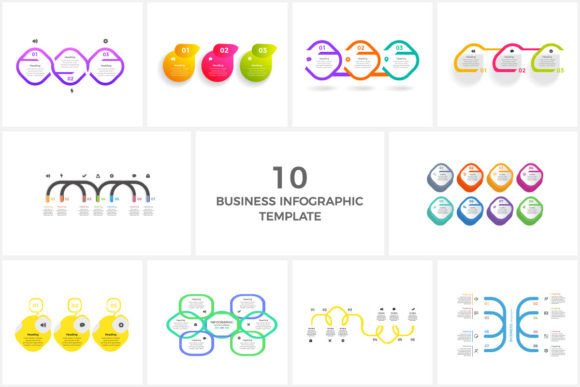
Turn Data into Impact with Minimal Infographics
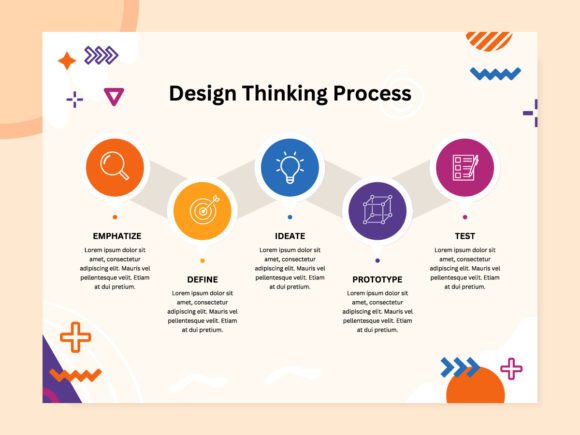
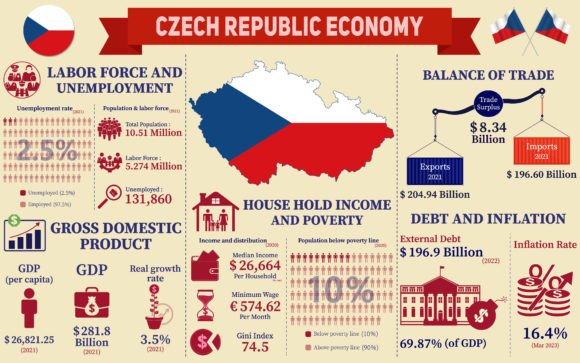
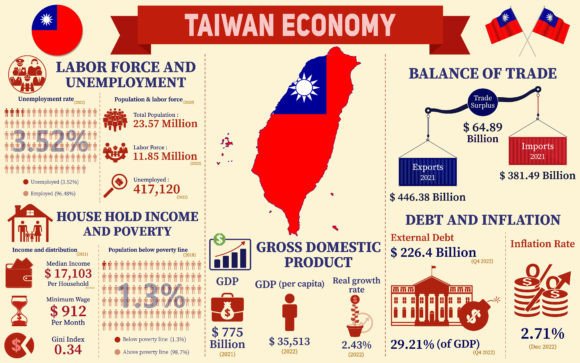
Complex data doesn't need complex presentation. In fact, the most memorable insights often come from the simplest visuals. A Minimal Business Infographics Template is your foundation for that clarity. It strips away decorative clutter to focus on what matters: clean layouts, editable vector graphics, and a structure designed for communication, not distraction. It is a practical toolkit—containing an AI file, EPS file, and preview JPEG—that prioritizes flexibility. Every text block, every chart element, every line is yours to modify. The free fonts are chosen for readability, not just style. This is a starting point built for adaptation, not just adoption.
The Creative Philosophy of Less
Choosing a minimal template is a creative decision, not just a practical one. It forces a discipline of editing. What is the single core message? Which numbers truly matter? This constraint becomes a powerful catalyst for better thinking. Instead of filling every space, you consider the weight of each element. The empty areas, the so-called white space, become active parts of the design, guiding the viewer’s eye and giving the information room to breathe. Your work moves from being merely informative to being intentionally impactful.
This approach resonates across audiences. A busy executive can grasp a quarterly trend in seconds. A social media follower can absorb a key statistic without scrolling past. An educator can present a complex process in digestible, clear steps. The minimalist framework doesn't make your content bland; it makes your content’s value unmistakable.
Where Your Editable Template Takes You
The true value of a Minimal Business Infographics Template lies in what you change. The provided AI and EPS files are your creative playground. Consider these directions:
- Brand Immersion: Immediately swap in your company’s color palette. Use the editable vectors to reshape chart icons to match your product aesthetics. This isn't just applying a logo; it's making the entire visual feel native to your brand’s voice.
- Format Fluidity: The same core template can be adapted for a vertical social media post, a horizontal presentation slide, or a square newsletter graphic. Adjust the layout blocks, resize the elements, and maintain a consistent visual language across all your channels.
- Story Sequencing: Break a single, complex infographic into a series of connected minimalist visuals. Use one for the problem, one for the solution data, and one for the key takeaway. This creates a narrative flow, perfect for a blog post or a slide deck progression.
Practical Applications Across Roles
The utility of this template is defined by the person using it. Its minimal nature acts as a universal adapter, fitting into diverse professional workflows.
For Marketers and Content Creators
You’re competing for attention. A minimalist infographic cuts through noise. Use it to transform a key blog post statistic into a standalone social media asset. Summarize a customer survey’s main findings into a single, sharable page for your website. The editable text allows you to frame the data with your specific campaign messaging—highlighting a benefit, a challenge, or a success. Because the fonts are free and editable, you maintain typographic consistency with your other marketing materials effortlessly.
For Entrepreneurs and Small Business Owners
You need to communicate credibility and clarity without a dedicated design team. This template is that resource. Use it to create clean process diagrams for your client onboarding, simple financial growth charts for investor updates, or streamlined comparison graphics showing your service against competitors. The vector format means you can output high-quality files for print or web, ensuring your business communications look professional and polished.
For Educators and Trainers
Learning requires clear structure. Adapt the template to map out a theoretical framework, visualize a historical timeline, or break down a scientific procedure. The minimal design reduces cognitive load, allowing students to focus on the relationships and facts you’re presenting. You can create a cohesive set of visuals for a whole module, using the same layout system to provide a familiar and comfortable learning aid.
Maintaining Effectiveness While Customizing
Freedom in editing requires a mindful approach to preserve the template’s core strength: clear communication. Here are practical guidelines to keep your adapted results effective.
Prioritize Hierarchy. Even with minimal elements, establish a clear visual order. Use the editable text styles to make your headline prominent, your sub-points supportive, and your data labels legible. Don’t let all text become the same size simply because you can change it.
Limit Your Color Story. A common temptation is to add many colors. Resist it. Choose one primary color for key data, a neutral for backgrounds and text, and perhaps a single accent color for highlights. This restraint reinforces the minimal aesthetic and improves comprehension.
Audit for Clarity, Not Completeness. Before finalizing, ask: “If someone only looks at this for ten seconds, what will they understand?” Remove any element that doesn’t serve that primary understanding. The template gives you the tools; you must be the editor.
The Power of a Consistent Visual Language
When you use the same Minimal Business Infographics Template across multiple projects—a report, a presentation, a website section—you build a consistent visual language for your organization or personal brand. This repetition is not boring; it is sophisticated. It teaches your audience how to read your information, making each new graphic you publish easier and faster for them to digest. Consistency breeds familiarity and trust.
From Template to Original Asset
The final step is moving beyond the template’s preset. This is where your creativity fully merges with the tool. Consider these project ideas:
- Interactive Foundations: Use the exported vector elements as the base assets for an animated or interactive infographic on your website. The clean lines and shapes are perfect for smooth animation or user interaction points.
- Printed Authority: Adapt the layout for a physical brochure or whitepaper. The high-quality EPS output ensures sharp prints. Minimalist designs often carry an air of authority and sophistication in print materials.
- Personalized Data Stories: For freelancers or consultants, customize the template for each client’s report. Using their branding within the same clear structure shows bespoke attention while maintaining your own professional methodology.
A Minimal Business Infographics Template is more than a file package. It is a philosophy packaged as a practical tool. It champions the idea that the best design often does the least—and thereby achieves the most. By starting with clarity and structure, you free up your creative energy to focus on the message itself, ensuring your data doesn’t just get seen, but gets understood and remembered. Your adaptation, guided by purpose and restraint, turns a universal template into a uniquely powerful communication of your own ideas.